
SyMax Transmitter Studio
Pressure Transmitter App
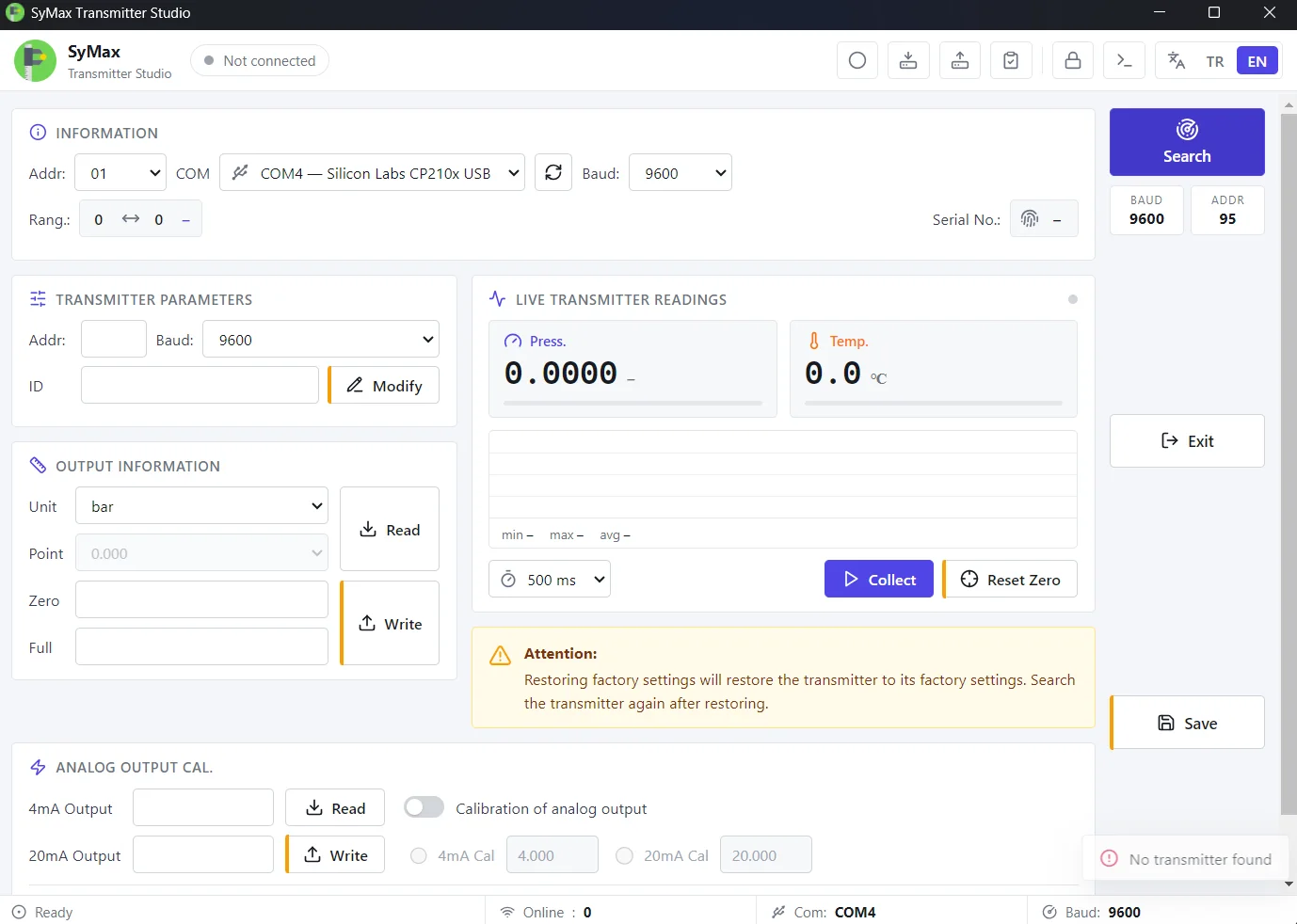
SyMax Transmitter Studio
Configuration and calibration software for MPM47xx pressure transmitters
SyMax Transmitter Studio is a desktop application for configuring, calibrating and testing MPM47xx series pressure transmitters over Modbus RTU. It covers everything the original Setonline tool does, in a cleaner interface, and adds the features a calibration workflow needs.
Key features
Automatic device search: Scans every baud rate and address to find a connected transmitter, with a live progress indicator. Live readings: Shows pressure and temperature in real time, with a trend chart, min/max/average statistics and an adjustable polling rate (250 ms to 2 s). Full configuration: Set the address, baud rate, device ID, engineering unit, digital output range and the 4–20 mA analog output points. Unit conversion: Switching units (bar, mbar, psi, kPa, MPa and more) converts all values automatically, with decimal places matched to the range. Analog output calibration: Force the 4 mA or 20 mA output and fine-tune it step by step against a reference ammeter. Zero adjustment: Re-zero the transmitter in one click, with an automatic rollback if the result looks wrong. Multi-point calibration test: Measure several reference points, get the error as % of full scale with pass/fail against your tolerance, and export a signed PDF calibration report. Parameter backup and restore: Save a transmitter’s full configuration to a file and load it back onto the same or another device. Data logging: Record live readings to CSV for later analysis in Excel.
Built-in safeguards
Every write needs writing to be unlocked, a confirmation, and is read back from the device to verify it. Factory reset asks for confirmation twice. A built-in communication log shows every Modbus frame sent and received, for troubleshooting.
Details
Bilingual interface: Turkish and English Windows 10/11 (64-bit), with installer Connects through any USB-to-RS485 adapter Supports the MPM4700, MPM4730, MPM4706 and MPM4736 series
Developed by Suathan Yiğit